




01
Choose Mintlify Assistant
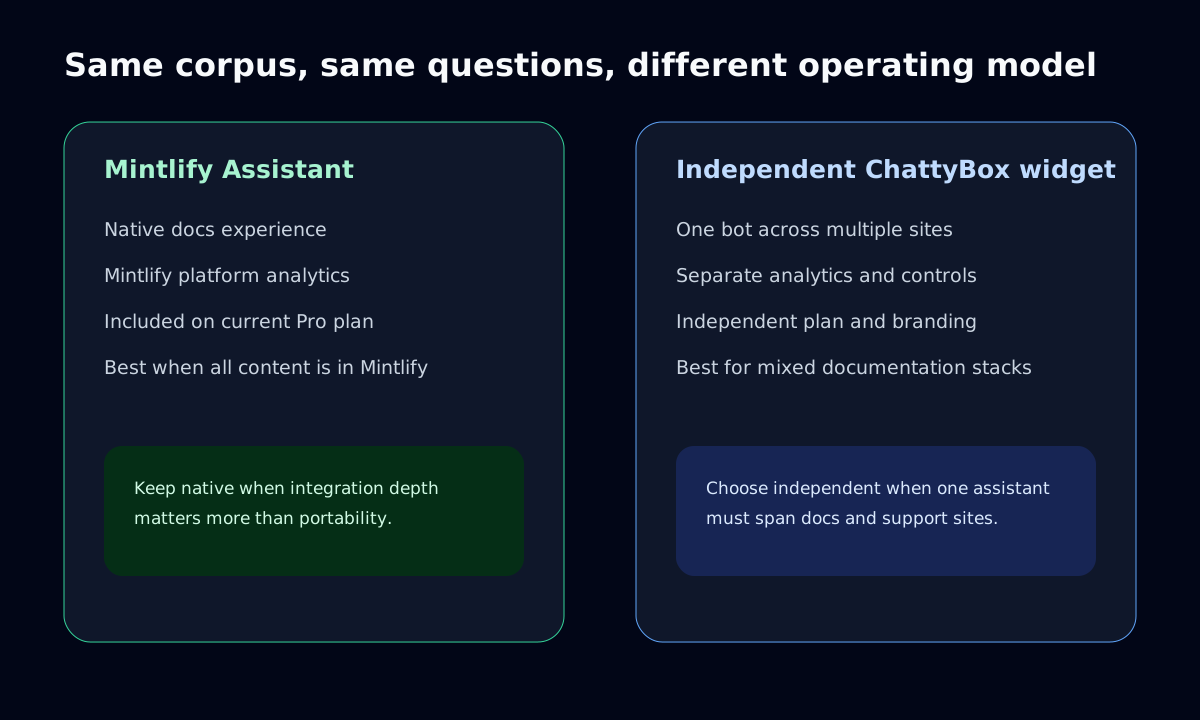
Choose the native assistant when you want the closest Mintlify integration, platform analytics, and no second chatbot vendor or widget to operate.
Mintlify has a native Assistant and a widget for other websites. ChattyBox is an independent option when you want public-content answers with branding, analytics, usage controls, and pricing managed separately from Mintlify.
ChattyBox crawls your existing website, documentation, help center, CMS, or knowledge base, then embeds a chatbot that answers from your own published content instead of generic model memory.
Define the public Mintlify pages and any non-Mintlify support content that both assistants should cover.
Ask the same representative documentation questions and record the answer, cited URL, and unsupported-answer behavior.
Compare branding, analytics, usage controls, pricing, and source coverage; both products can provide a widget outside Mintlify.
If choosing ChattyBox, commit a .js file to the Mintlify content repository; Mintlify loads it globally after interactivity.
Three-step launch
Mintlify Assistant supports native docs and an external-site widget. Compare source coverage and plan terms separately from placement; an independent chatbot is relevant when ownership or controls should remain outside Mintlify.
Use these checkpoints to decide whether ChattyBox should sit beside your docs platform, replace a separate assistant, or stay isolated for testing.
Choose the native assistant when you want the closest Mintlify integration, platform analytics, and no second chatbot vendor or widget to operate.
Choose ChattyBox when branding, analytics, and usage controls must remain outside Mintlify. Cross-site placement alone does not require another vendor: Mintlify offers its own widget.
As checked July 9, 2026, Mintlify lists Assistant on Pro and above and describes credit-based AI usage. Compare current Mintlify pricing with the separate ChattyBox plan and limits.
Add the loader as a .js file inside the Mintlify content directory. Mintlify includes repository JavaScript on every page after the site becomes interactive.
The product facts below come from current primary sources. For answer testing, use the same published corpus and question set in both assistants, preserve each response and cited URL, and review citation support rather than converting judgments into an unsupported aggregate score.
Owner: ChattyBox documentation team. Review quarterly and whenever Mintlify changes Assistant, custom JavaScript, analytics, credit controls, or pricing.
| Dimension | Mintlify Assistant | Independent ChattyBox |
|---|---|---|
Dimension Sources | Mintlify Assistant Native Mintlify content; the pricing matrix lists external sources on Enterprise. Confirm source entitlements before purchase. | Independent ChattyBox Public docs, help, and website pages across platforms. |
Dimension Citations | Mintlify Assistant Test links against the selected Mintlify corpus. | Independent ChattyBox Response source links are visible in the reproducible demo. |
Dimension Branding | Mintlify Assistant Native experience; pricing lists Assistant customization and white labeling by plan. | Independent ChattyBox Custom styling is available on all ChattyBox plans; removing ChattyBox branding requires Starter or higher. |
Dimension Analytics | Mintlify Assistant Platform and agent analytics are listed in Mintlify pricing. | Independent ChattyBox Separate chatbot analytics and content-gap reporting on Pro and Business. |
Dimension Usage controls | Mintlify Assistant AI features use Mintlify credits; verify current hard-limit and overage terms. | Independent ChattyBox Limits are attached to the separate ChattyBox plan. |
Dimension Pricing | Mintlify Assistant Assistant is listed on Pro and Enterprise as of the checked date. | Independent ChattyBox Separate subscription; compare current limits on the ChattyBox pricing page. |
Dimension Better fit | Mintlify Assistant Native docs Assistant plus an external-site widget on Pro and Enterprise, with Mintlify-managed credits and analytics. | Independent ChattyBox One independently managed assistant across multiple public properties. |
Create a .js file in the Mintlify content directory and commit it with your docs. Mintlify loads every such file globally after interactivity, so guard against duplicate injection and do not treat this as a page-level script field.
if (!document.querySelector('script[data-chattybox-widget]')) {
  const script = document.createElement('script');
  script.src = 'https://chattybox.ai/widget.js';
  script.dataset.apiKey = 'YOUR_API_KEY';
  script.dataset.apiUrl = 'YOUR_WIDGET_API_URL';
  script.dataset.chattyboxWidget = 'true';
  script.async = true;
  document.body.appendChild(script);
}Keep Mintlify Assistant when your content is primarily in Mintlify and you prefer its native interface, analytics, customization, and credit model over operating a second widget.
Add a .js file to the Mintlify content repository. Mintlify documents that repository JavaScript is loaded globally after the page becomes interactive; there is no arbitrary page-level script field.
Use the same corpus and representative questions, save each answer and cited URL, and review whether every material claim is supported. Do not infer quality from an undisclosed weighted score.
Primary sources were checked July 9, 2026. The ChattyBox documentation team owns a quarterly review and will recheck sooner when Mintlify changes the relevant product or pricing pages.
No credit card required. Your content is not used for model training.
Free tier. No card needed.
We use optional analytics and tag-management tools to understand site use. Choose whether to allow Ahrefs Web Analytics, PostHog, and Google Tag Manager. Turning analytics off reloads this page so the change takes effect cleanly. Essential site functionality and error monitoring are not controlled by this choice. Read our privacy policy.